Key screenshot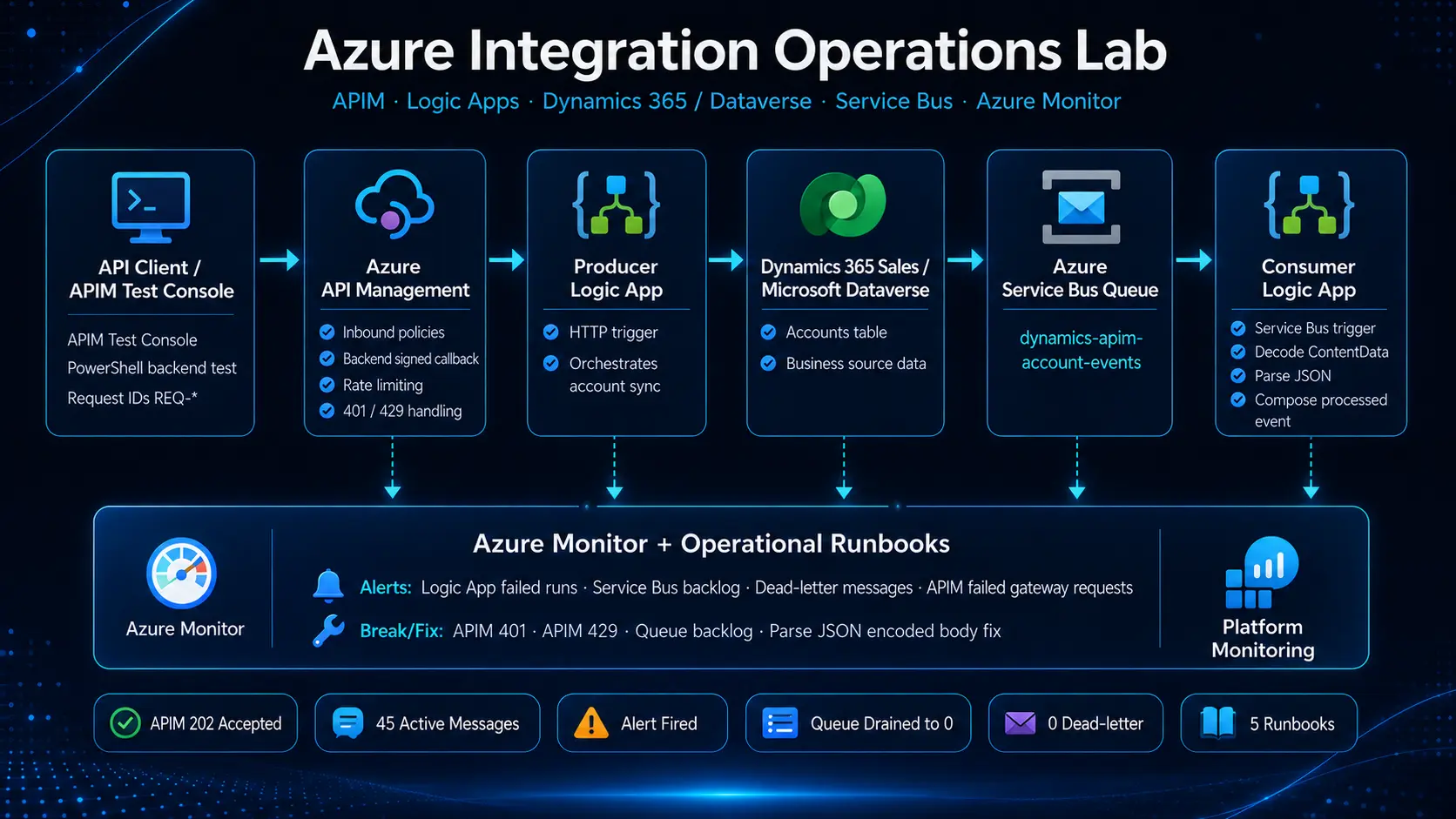
Architecture diagram
Overall integration platform design from API gateway to queue consumer.
A production-style Azure platform operations project built around Azure API Management, Logic Apps, Dynamics 365 / Dataverse, Service Bus and Azure Monitor. The project proves the integration can be built, monitored, broken, investigated, recovered and documented like a real cloud platform.
APIM Test Console / API Client
→ Azure API Management
→ Producer Logic App
→ Dynamics 365 / Dataverse Accounts
→ Service Bus Queue
→ Consumer Logic App
→ Decode body → Parse JSON → Process event
→ Azure Monitor alerts + runbooks
Many cloud integration platforms fail operationally because they are not properly monitored, documented or understood. This project simulates day-to-day platform support: checking API health, maintaining Logic Apps, monitoring Service Bus queues, responding to alerts and creating runbooks for handover.
The API request enters through Azure API Management. APIM forwards the request to a producer Logic App. The Logic App reads account records from Dynamics 365 / Dataverse and publishes account events to Service Bus. A consumer Logic App processes the queued messages.
This was not only a happy-path integration. The platform was intentionally tested through realistic operational failures: APIM 401 backend authentication, APIM 429 rate limiting, Service Bus backlog, disabled consumer, and a Parse JSON failure caused by encoded Service Bus content.
The platform is split into clear operational layers: API gateway, producer workflow, business data source, queue, consumer workflow and monitoring.
Each incident proves troubleshooting, root-cause isolation and recovery validation.
APIM returned 401 when forwarding to the Logic App backend. The Logic App callback URL was tested directly with PowerShell and returned Accepted, proving the backend was healthy. The issue was isolated to APIM policy and fixed by passing the correct Logic App callback parameters.
APIM returned 429 after more than 3 requests in 60 seconds. This proved the rate-limit policy was protecting the backend Logic App.
The consumer Logic App was disabled. APIM and the producer stayed healthy, but messages accumulated in Service Bus. The queue reached 45 active messages and triggered the backlog alert.
Runs failed at Parse JSON because Service Bus content was encoded. The fix was to decode the message body using base64ToString(triggerBody()?['ContentData']) before parsing.
The lab includes monitoring across the main failure points of an integration platform.
These are the actual screenshot/image blocks used by this page, just like the SecureCloud Hub gallery style.
Overall integration platform design from API gateway to queue consumer.
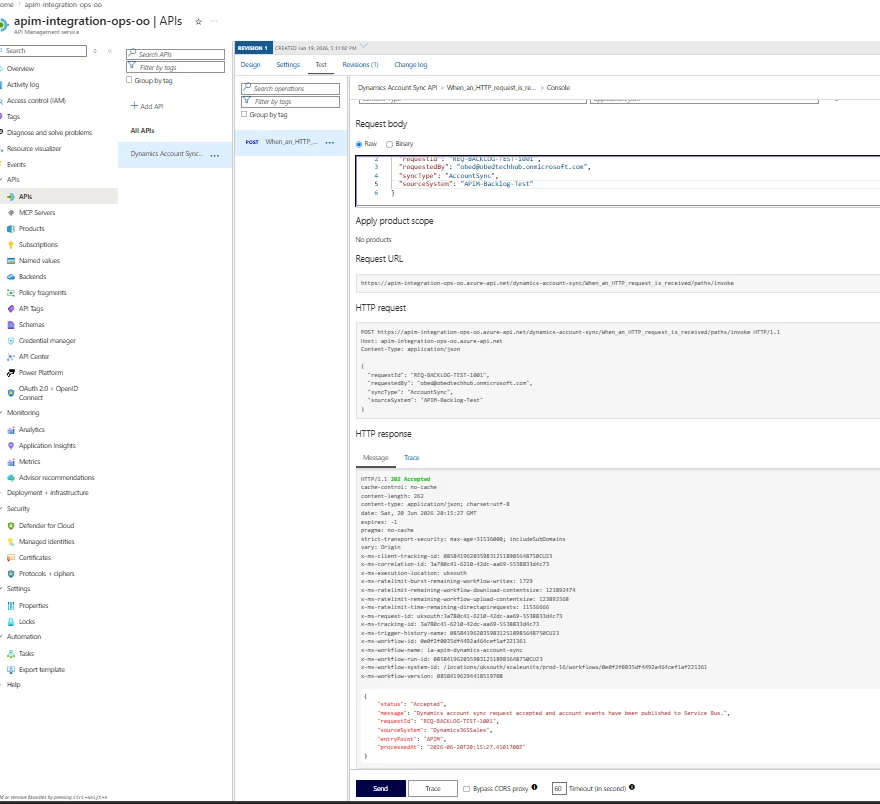
Successful API gateway to Logic App request.
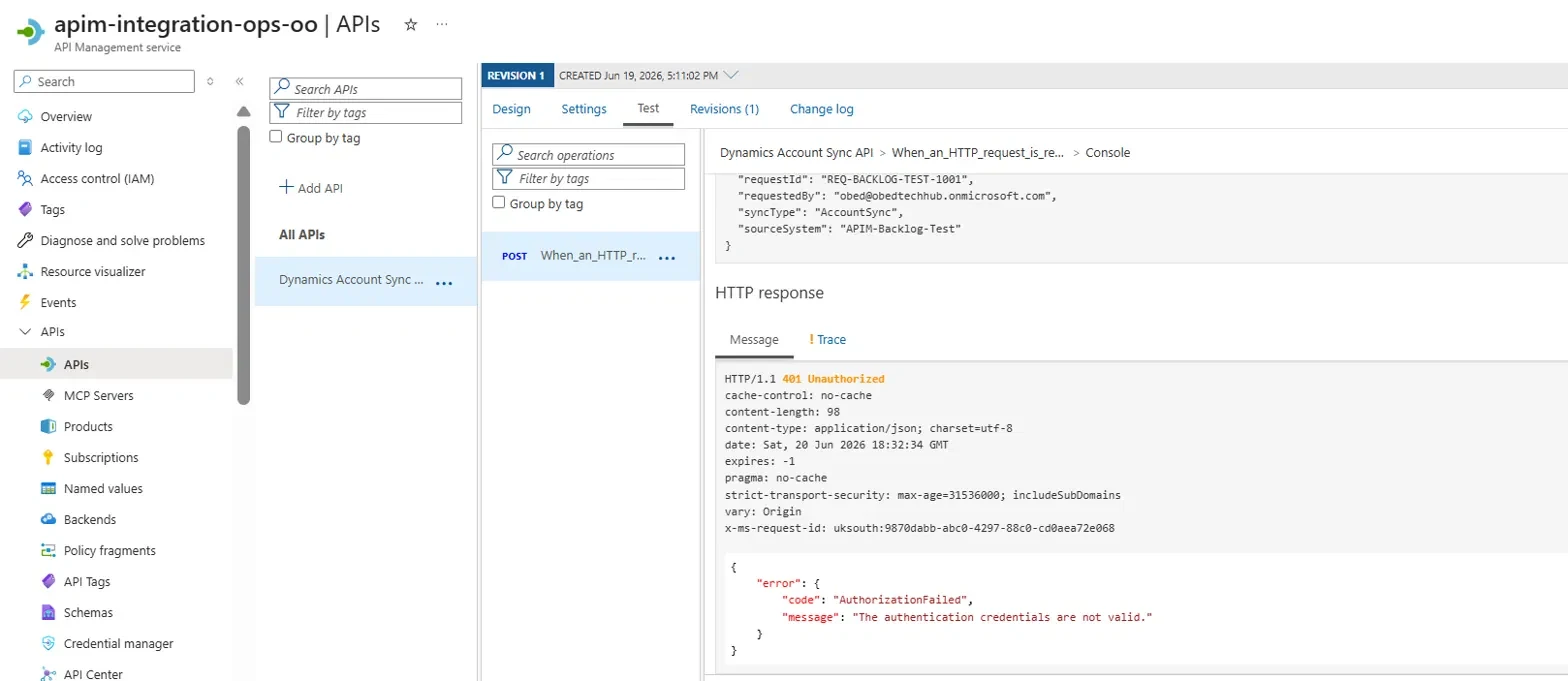
Gateway/backend authentication issue isolated and fixed.
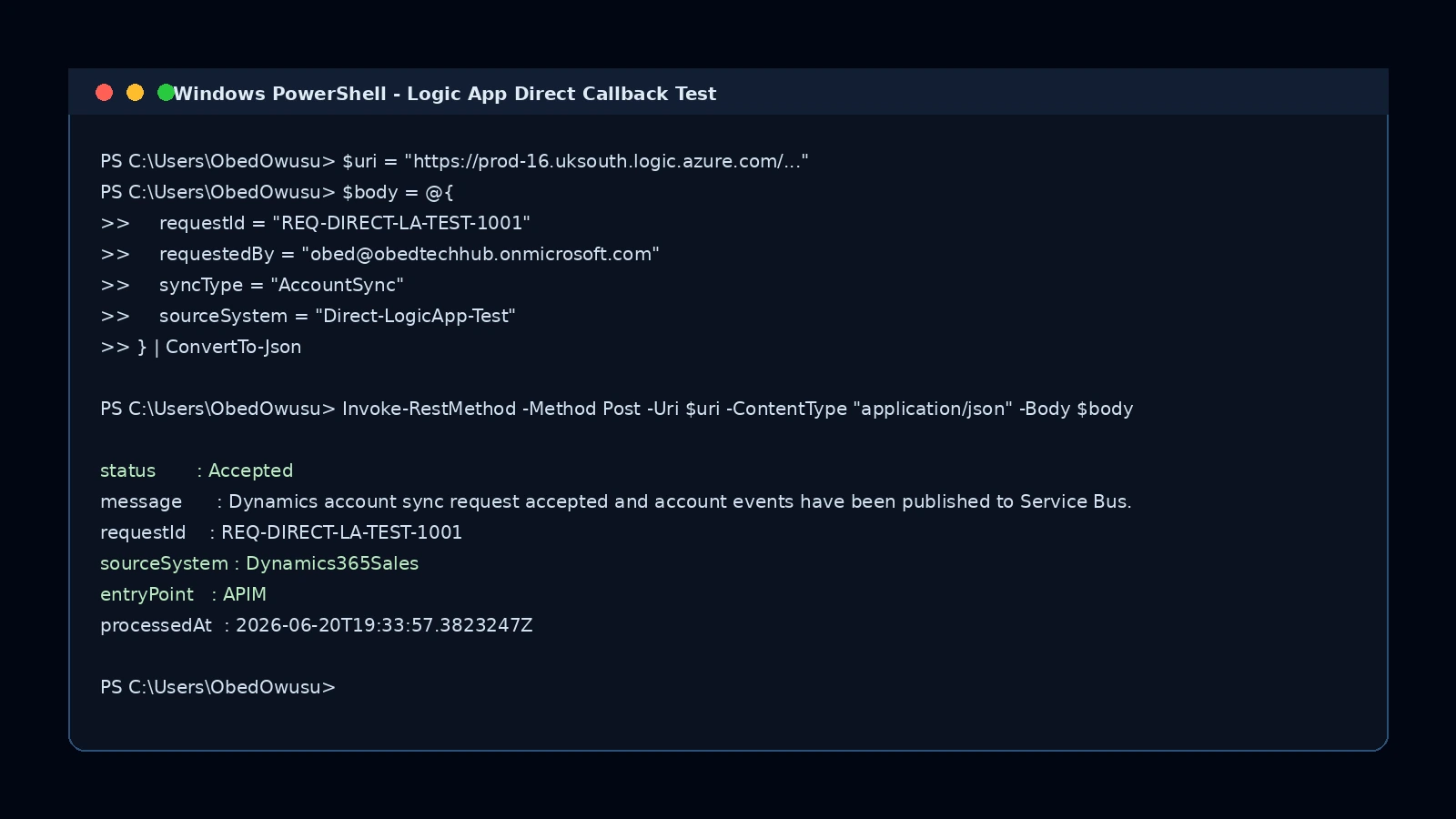
Backend endpoint validated outside APIM.
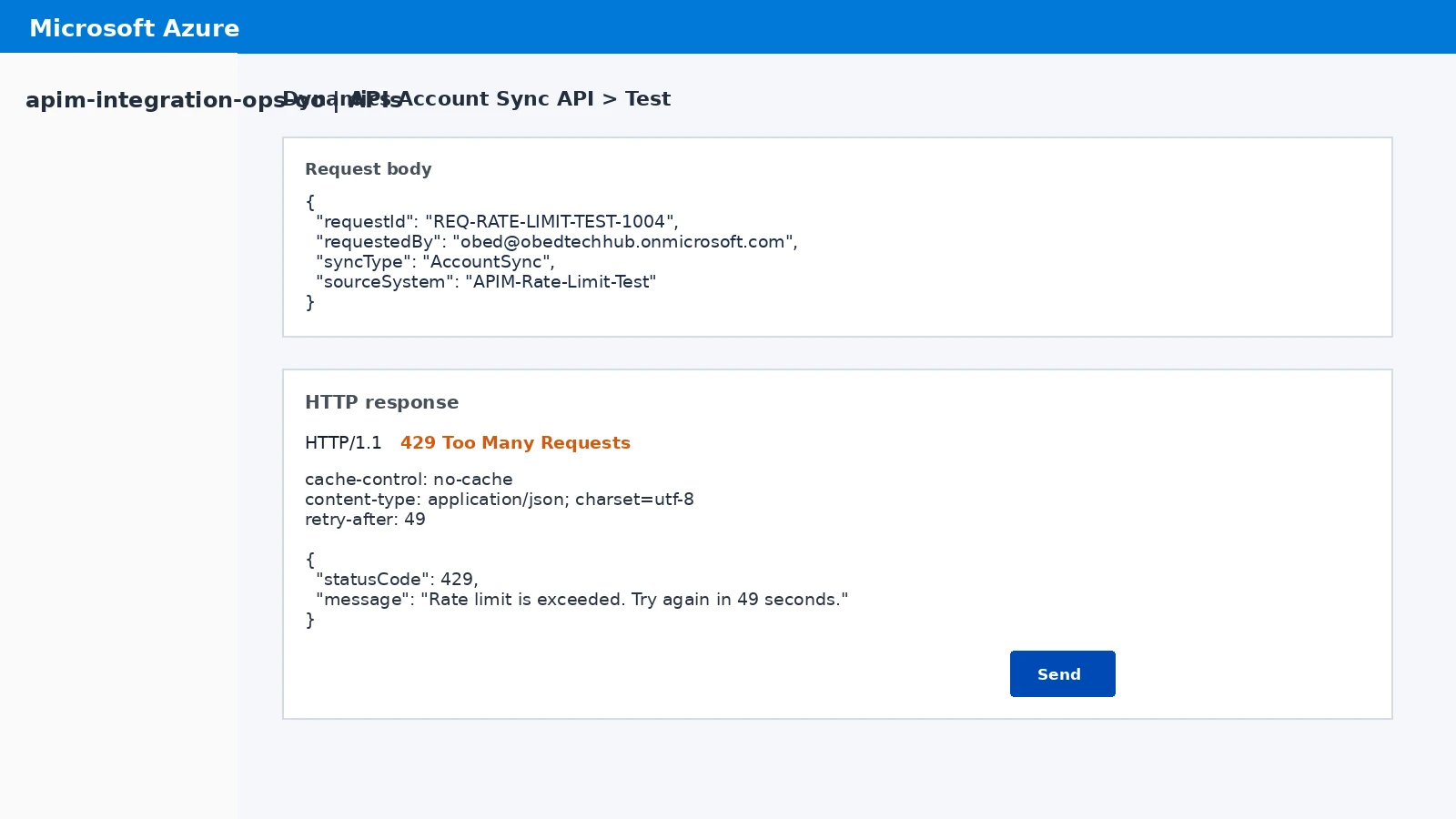
Gateway protection tested successfully.
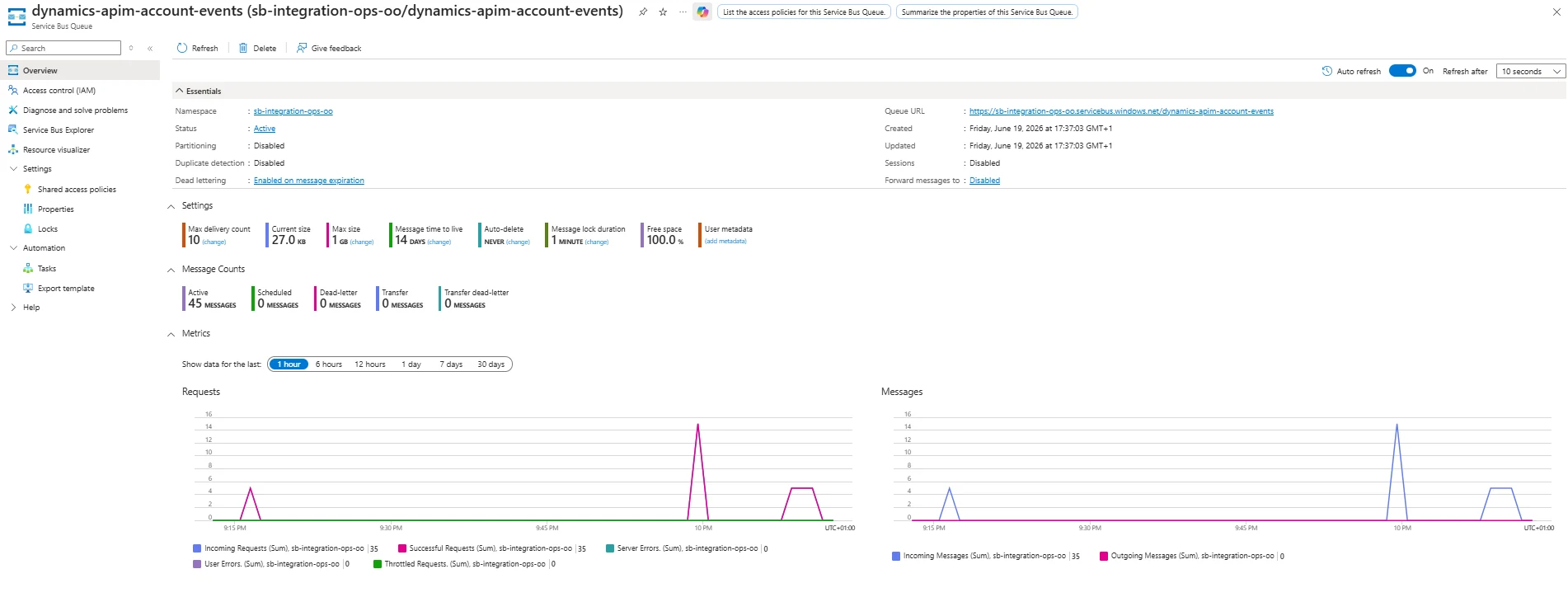
Queue backlog created during consumer outage test.
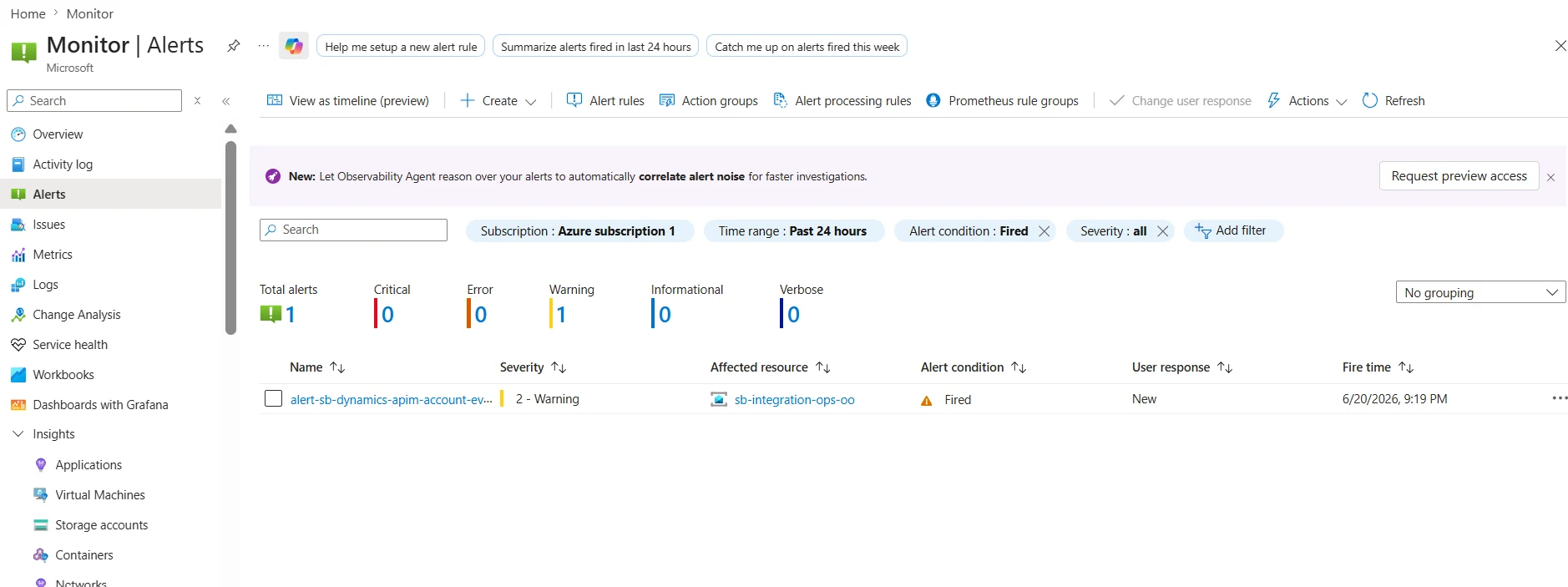
Azure Monitor detected the downstream outage condition.
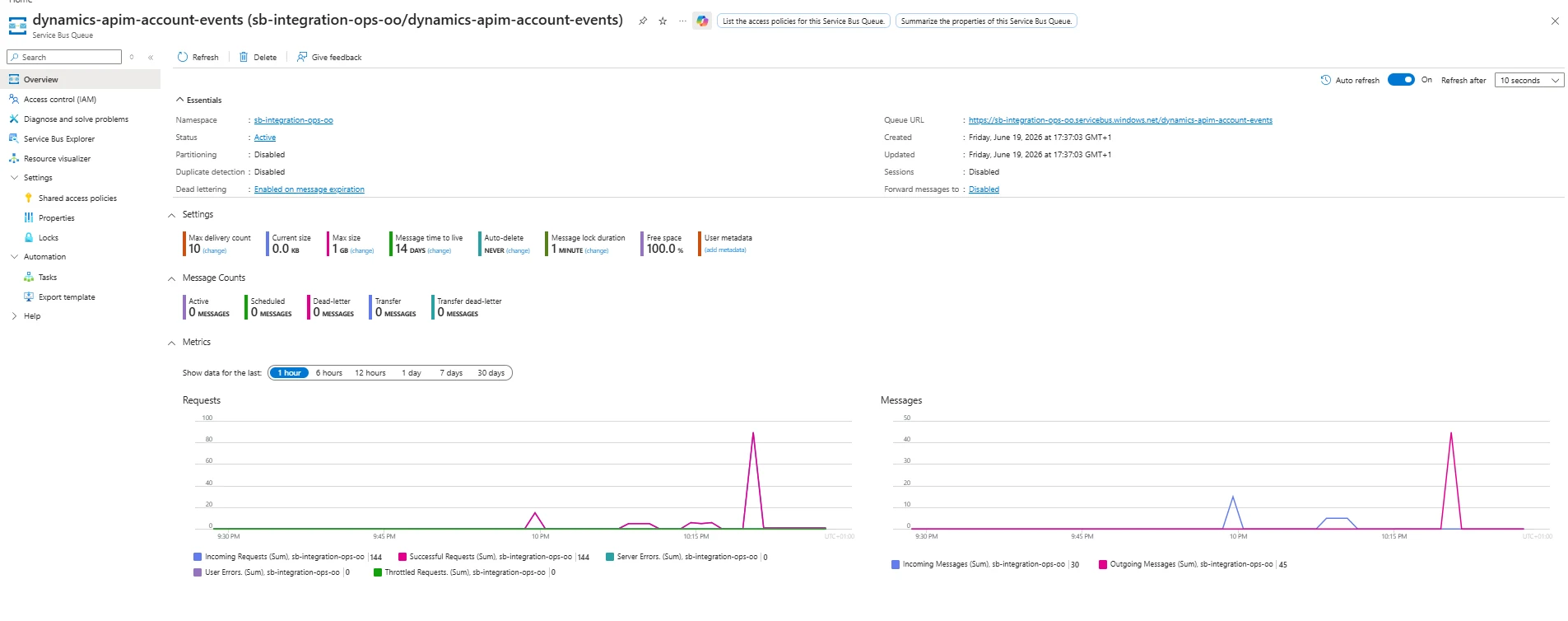
Active messages returned to 0 after consumer recovery.
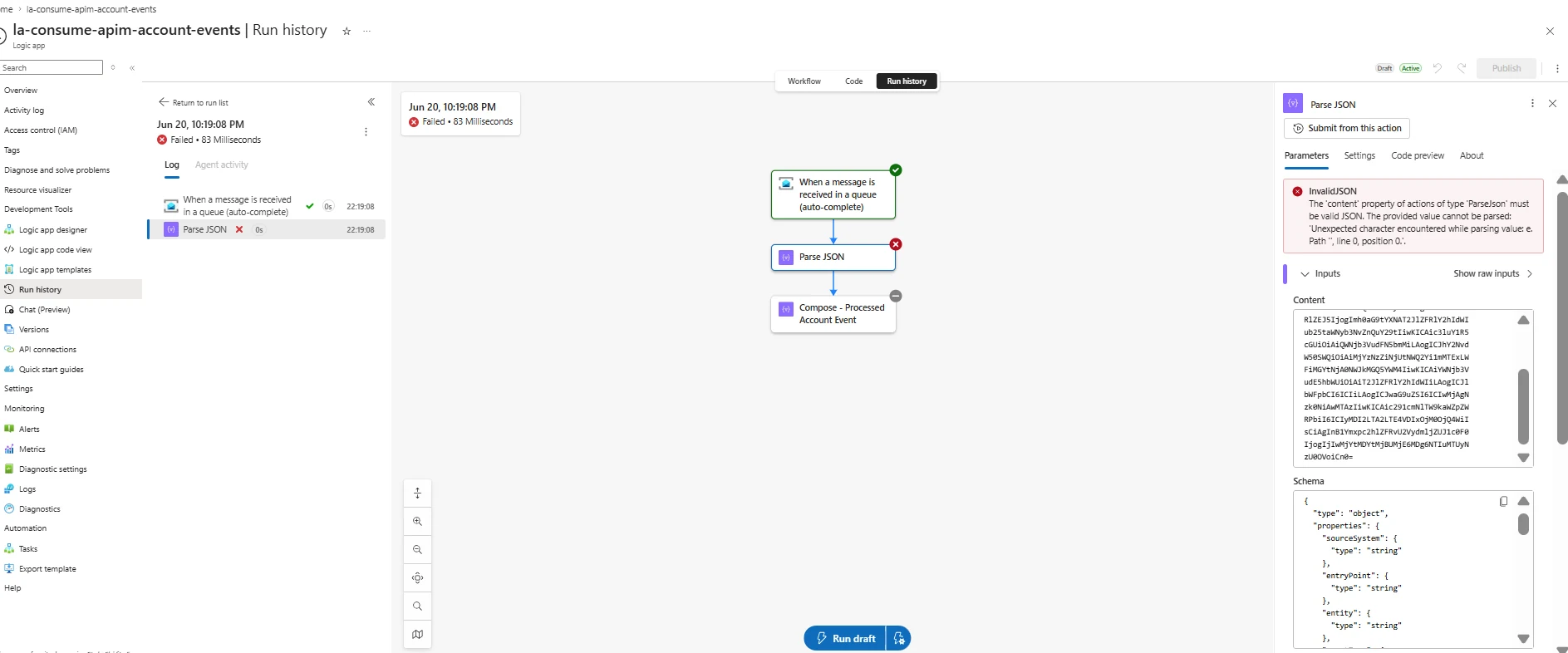
Consumer issue found in Logic App run history.
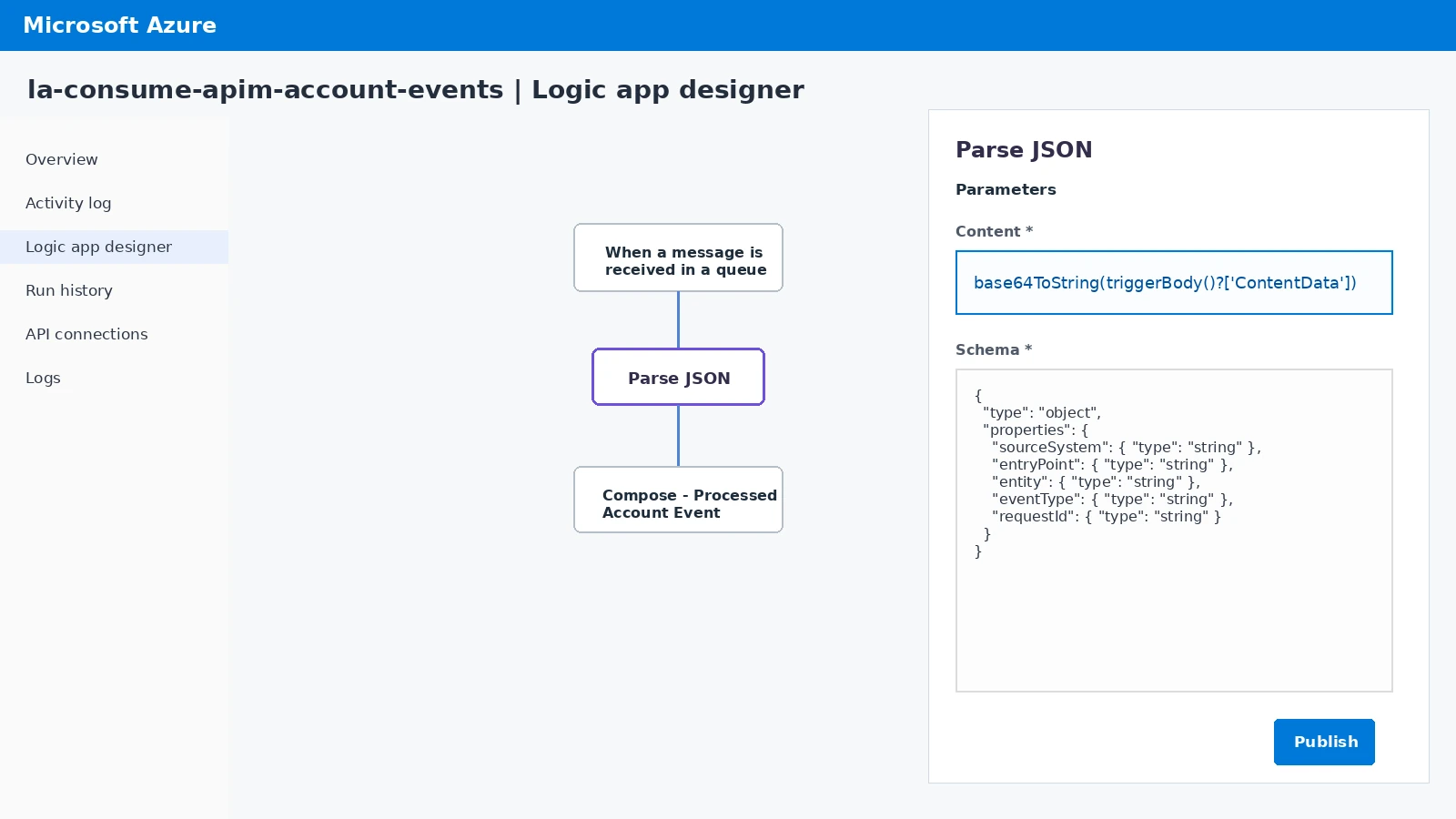
Encoded Service Bus content decoded before parsing.
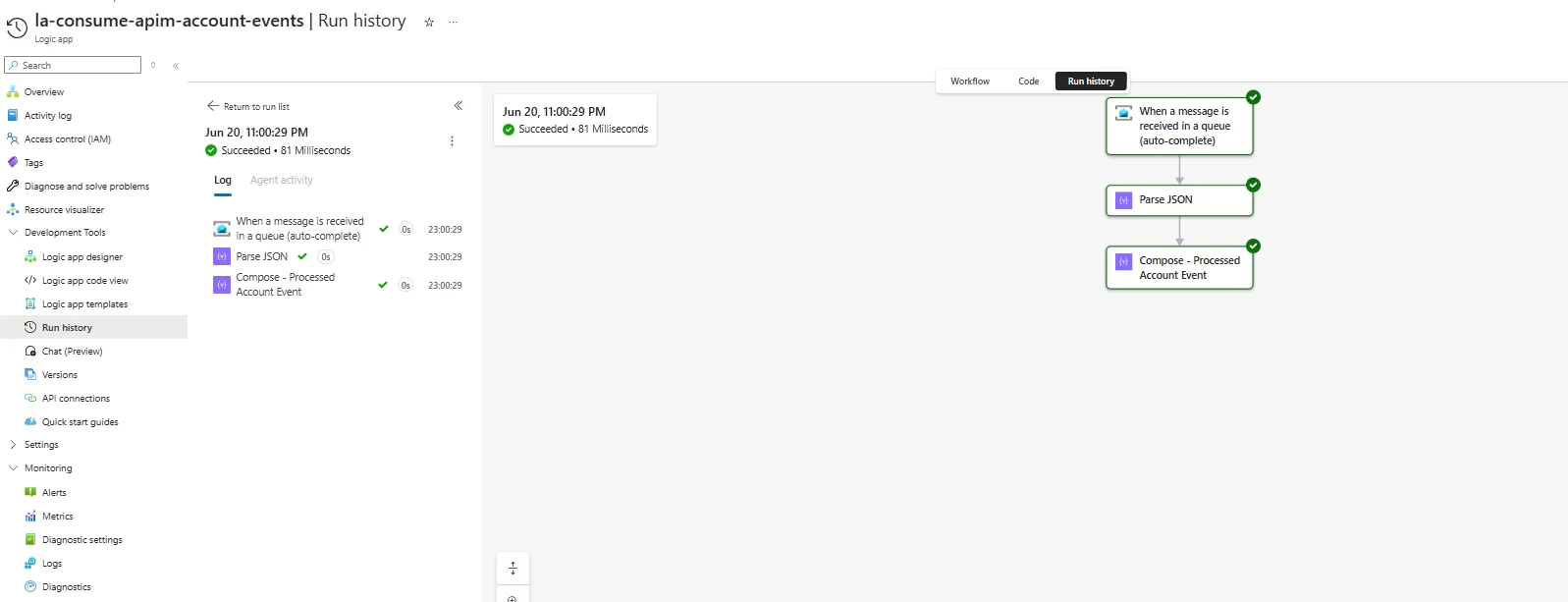
Service Bus trigger, Parse JSON and Compose all succeeded.
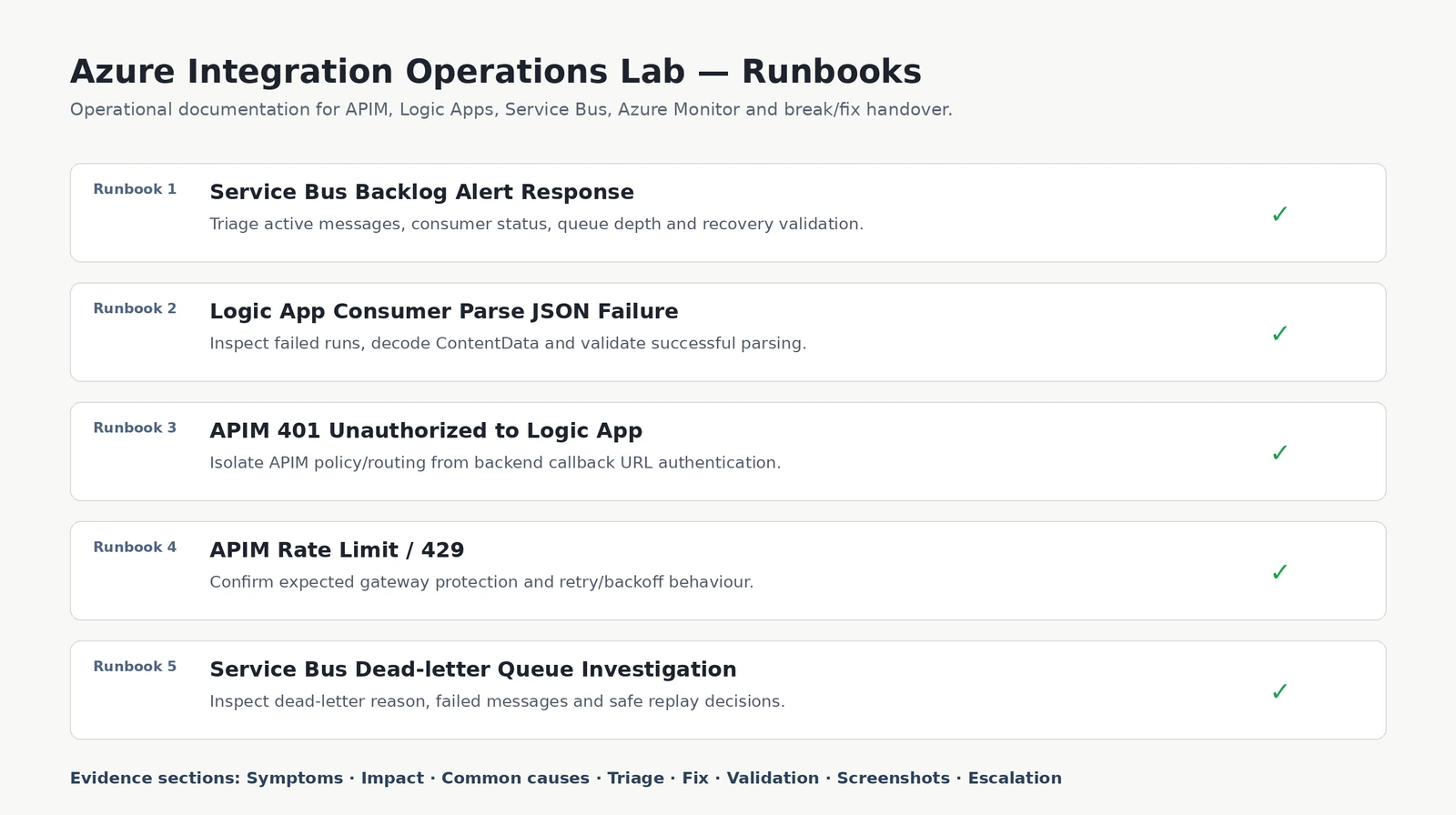
Operational procedures created for handover and support.
This safe browser-based simulator mirrors the real break/fix scenario from the lab.
Azure Monitor detects active messages above threshold and fires the backlog alert.
Check APIM 202, producer runs, Service Bus depth and consumer run history.
Re-enable or repair the consumer. In this lab, Parse JSON required decoding Service Bus ContentData.
Confirm active messages return to 0, dead-letter remains 0 and consumer runs succeed.
The project includes runbooks that explain symptoms, impact, common causes, triage steps, fix steps, validation criteria and evidence to capture.
Investigate active message buildup, confirm producer health, check consumer status and validate recovery.
Inspect failed runs, identify encoded Service Bus content and fix Parse JSON using base64ToString.
Isolate whether the problem is APIM policy/routing or the Logic App callback URL itself.
Confirm APIM rate limiting is expected gateway behaviour and validate backend protection.
Inspect dead-letter messages, correlate with consumer failures and decide whether replay is safe.
This project mirrors cloud platform engineering support work: not just deploying services, but keeping them stable, monitored and documented.
APIM controls how clients reach backends. A 401 can be caused by backend authentication, missing query parameters, stale callback signatures or incorrect policy routing. Testing the backend directly helps isolate the fault.
When the consumer was disabled, APIM and the producer still worked. Messages waited in Service Bus until the consumer recovered.
The queue drained, but consumer runs initially failed at Parse JSON. Real operational validation means checking run history, failed actions, dead-letter count and end-to-end success.
The final output included runbooks so another engineer can detect, triage, fix, validate and hand over platform issues consistently.